You don’t need expensive apps to keep family life organized. With the right free online tools, you can manage schedules, plan meals, track chores, stay on top of homework, and watch your budget without adding more stress. The best options fit the way your family already works, and a few simple choices can save you more time than you’d expect.
Key Takeaways
- Use shared calendars to coordinate school pickups, practices, and family events with color coding and alerts.
- Plan weekly meals with free tools that organize menus, ingredients, batch cooking, and grocery lists.
- Manage chores in shared charts with deadlines, reminders, and rotating tasks for accountability.
- Track homework, tests, and project deadlines in one dashboard with notes, links, and updates.
- Monitor family spending with budgeting tools that track income, expenses, and monthly limits.
Best Free Online Tools for Busy Parents

When your day is packed, the right free online tools can help you stay organized, save time, and keep family life running smoothly. You can use shared calendars to coordinate school events, appointments, and pickups without missed messages.
Task apps help you assign chores, track deadlines, and keep everyone accountable. Budget tools let you monitor spending, plan meals, and spot waste before it grows.
File storage services give you instant access to forms, records, and activity schedules from any device. Note apps capture ideas, reminders, and permission slips the moment they come up.
With these tools, you reduce friction, improve follow-through, and keep your household operating with more control and less stress. Choose simple systems, use them consistently, and you’ll build a reliable family workflow.
Choose the Right Parent Tool
The best parent tool is the one you’ll actually use every day. You don’t need the most feature-heavy option; you need the one that fits your habits, stress level, and goals.
Start by identifying your biggest friction point: communication, reminders, task tracking, or information overload. Then choose a tool that solves that problem with minimal setup and a clean interface.
Look for fast access, reliable search, and clear notifications. If a tool slows you down, skip it. You’ll build mastery faster with a simple system you can repeat than with a complex platform you abandon.
Test one option at a time, use it consistently for a week, and judge it by results, not promises. The right tool should reduce effort, not add another chore.
Free Online Tools for Family Schedules

Free online schedule tools can help you keep school pickups, practices, appointments, and family events in one place. You’ll see conflicts fast, share updates instantly, and reduce last-minute chaos.
Choose a tool with clear color coding, reliable alerts, and easy syncing across devices so everyone stays aligned. For mastery, build one family calendar and assign each person a distinct color.
- Sync work, school, and home calendars
- Set recurring reminders for routine events
- Share access with caregivers
- Review the week each Sunday
When you update plans in real time, you cut miscommunication and protect your time. Use permissions wisely, and keep event titles specific.
That way, you’ll manage your family schedule with precision and confidence.
Free Meal Planning Tools That Save Time
If your evenings feel rushed, free meal planning tools can help you map out dinners, track ingredients, and cut down on repeated grocery trips. You can build a weekly menu in minutes, then save favorite recipes and reuse them when your schedule tightens.
Strong tools let you sort meals by prep time, dietary needs, or pantry staples, so you’re not starting from scratch each week. You’ll also spot ingredient overlap, which makes shopping smarter and reduces waste.
With a clear plan, you can batch-cook efficiently, prep ahead, and keep weeknight decisions simple. For mastery, choose a tool that supports customization, mobile access, and an easy grocery list export.
That way, you stay organized, save time, and keep dinner predictable.
Online Chore Charts for Busy Families
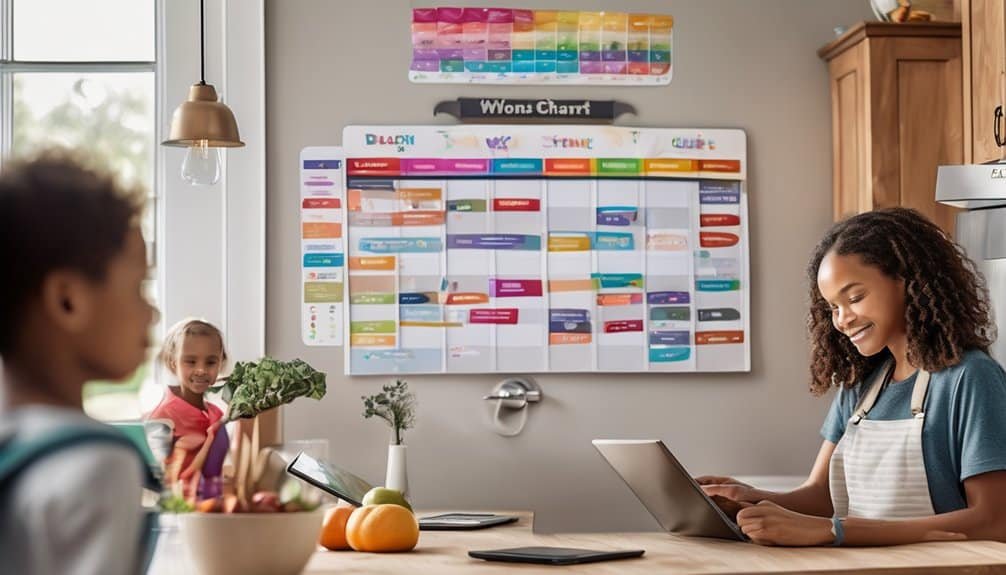
When family schedules start to clash, online chore charts can turn daily tasks into a simple, visible system everyone can follow. You assign chores, set deadlines, and track completion in one shared place, so nothing slips through the cracks.
Choose tools that let you customize roles and update tasks fast. Use color coding, recurring assignments, and reminders to keep accountability tight.
- Map chores by age and skill
- Rotate tasks to prevent burnout
- Sync updates across phones instantly
- Review progress in weekly family check-ins
You’ll build consistency without nagging because everyone can see what’s next. The best charts make expectations explicit, reduce friction, and help you manage household operations with confidence.
Free Tools for School and Homework Tracking
School routines get easier to manage with free online tools that help you track assignments, test dates, and project deadlines in one place.
You can create a shared dashboard that lets you and your child see what’s due, what’s finished, and what still needs attention. Use calendar apps, task boards, and reminder tools to break big projects into smaller steps and set clear deadlines.
You’ll spot overload early, adjust priorities, and keep momentum steady. Many tools also let you attach notes, links, and teacher updates, so you don’t waste time searching for details.
When you review the board together each evening, you build accountability and sharpen planning skills. With a simple system, you’ll help your child stay organized, prepared, and confident.
Family Budgeting Tools That Cost Nothing
Once you’ve got school schedules under control, the same simple system can help you manage family money. Use free budgeting tools to map income, track spending, and spot leaks before they grow. You’ll build a sharper picture of cash flow and make faster decisions with less stress.
- Set monthly limits for essentials.
- Log purchases the day you make them.
- Compare actual spending with your target.
- Review categories weekly and adjust quickly.
Choose tools with clear dashboards, mobile access, and export options so you can stay organized without paying fees.
When you review numbers regularly, you’ll notice patterns, cut waste, and protect savings. That’s mastery: using simple free systems to control money instead of letting money control you.
Shared Notes and Lists for Family Coordination
Shared notes and lists keep your family aligned without endless texts or repeated reminders. You can create a single household hub for groceries, chores, school events, and weekend plans, then update it in seconds from any device.
Choose tools that let you assign tasks, set deadlines, and check items off in real time so everyone sees progress instantly. Keep each list specific: one for meals, one for errands, one for kids’ activities, and one for shared priorities.
Use tags, due dates, and pinned items to surface what matters most. Review the hub daily, trim outdated items, and keep categories consistent. When you standardize your system, you reduce friction, prevent missed details, and build a reliable rhythm your family can trust.
Free Communication Tools for Family Coordination
When your household needs quick answers, free communication tools can keep everyone connected without cluttering your phone or your budget. You can use them to coordinate pickups, confirm appointments, and share last-minute changes with precision.
Choose platforms that offer reliable group chats, voice calls, and file sharing so you can reduce confusion and act fast.
- Use a family chat thread for daily updates.
- Send voice notes when typing slows you down.
- Share locations only when safety matters.
- Pin key messages so nothing gets buried.
You’ll work better when each tool has one job: urgent alerts, routine planning, or check-ins. That structure keeps conversations searchable, expectations clear, and your family’s schedule under control.
Frequently Asked Questions
How Do I Keep Kids Safe on Free Family Apps?
Set strict privacy settings, review app permissions, use strong unique passwords, enable parental controls, monitor chats and purchases, and talk with your kids about sharing. You’ll reduce risks and stay proactive online.
Can These Tools Work Without Constant Internet Access?
Usually, you can’t rely on them offline, but you can still use downloaded schedules, cached notes, and synced reminders. You’ll need periodic internet access to update data, share changes, and keep everything accurate.
Which Tools Support Multiple Languages for Families?
Practically every platform you’ll use supports multiple languages: Google Translate, Duolingo, WhatsApp, and Microsoft Family Safety. You can switch languages fast, coordinate effortlessly, and feel like you’ve unlocked a communication superpower for your family.
How Can I Avoid Sharing Too Much Personal Data?
You can avoid oversharing by giving only required fields, using pseudonyms, limiting profile visibility, disabling location sharing, reviewing permissions, and reading privacy policies. When possible, choose tools with data-minimization settings and strong encryption.
Are There Free Tools That Integrate With Smart Home Devices?
Yes—free tools like Google Home, Alexa, and IFTTT can connect with many smart devices, letting you automate routines instantly. You’ll gain control, but always review permissions and privacy settings carefully.
Conclusion
You can make family life feel lighter when you choose free tools that fit your routine. A shared calendar keeps everyone on the same page, meal planners cut dinner stress, and chore charts help kids stay accountable. Homework trackers, budgeting apps, notes, and communication tools keep details from slipping through the cracks. When you use them together, you’ll stay organized and calm. As the saying goes, many hands make light work.