Nearly 90% of students say quick digital access helps them stay engaged in class, so free QR codes can give your projects an edge. You can link student work, portfolios, and lesson resources in seconds, then print or share them with almost no setup. If you want a simple way to make classroom tasks more interactive and easier to assess, the next steps show how to do it well.
Key Takeaways
- Free QR codes let students scan links to websites, videos, portfolios, and documents from printed classroom materials.
- Use a free QR code generator, paste the URL, generate the code, and export a high-resolution file.
- Test QR codes on multiple devices before printing to ensure links work and scan correctly.
- Connect QR codes to student projects, author pages, or digital portfolios using stable URLs and clear labels.
- Avoid low contrast, cluttered designs, and broken links by checking codes and updating them after edits.
What Are Free QR Codes for Classroom Projects?
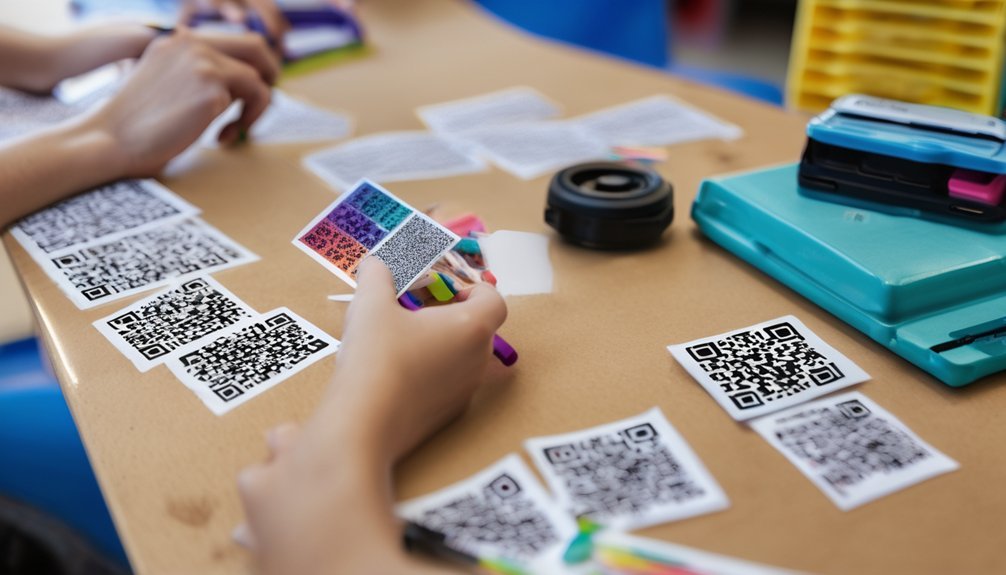
Free QR codes for classroom projects are simple scannable links that take students to digital content like websites, videos, assignments, documents, or forms. You use them to bridge printed materials and online resources without extra typing.
In practice, a learner scans the code with a phone or tablet and opens the target instantly. That makes your handouts, posters, and stations more interactive and efficient. The QR code history traces back to inventory tracking, but classrooms now use the same format for fast access and organized delivery.
Key QR code benefits include convenience, reduced friction, and flexible access across devices. You can place them on worksheets, displays, and instructions to streamline learning and keep students focused on the task.
How to Make Free QR Codes Fast
To make QR codes fast, you can use a free QR code generator online, paste in your link, and click create. You’ll get a QR code in seconds, so save it as a PNG or SVG right away.
Choose clean design tips: keep strong contrast, add a simple border, and avoid clutter around the code. Before you print, test the QR code with multiple scanning apps on phones and tablets.
If your generator offers tracking methods, turn them on so you can review usage statistics later. Then export a high-resolution version for slides, handouts, or posters.
For classroom speed, build a small workflow: prepare links, generate each QR code, verify scans, and label files clearly. That routine keeps you efficient and accurate.
How to Link QR Codes to Student Work

Link each QR code to a specific piece of student work so viewers can jump straight to the right file, slide, video, or portfolio page. You’ll get cleaner QR code integration when you paste a stable URL, not a temporary draft link.
Test every destination on a phone before you print. If you use shared drives, set permissions so classmates or families can open the work without extra steps.
Label each code with the student name, project title, and date to keep scans organized. For video or slideshow work, link to the exact item, not the folder. This precision improves Student engagement because users reach content fast and stay focused on the work itself.
Recheck links after edits, since broken URLs reduce trust and scan value.
Best QR Code Classroom Projects
Start with QR code classroom projects that naturally reward quick, direct access: student author pages, science lab reports, reading reflections, math problem explanations, and digital portfolios.
You’ll boost student engagement when each code opens a polished artifact they can verify, share, and revise. Use technology integration to connect printed posters, notebooks, and bulletin boards with live documents, audio comments, or presentation slides.
Keep your workflow tight: generate the code, test it on multiple devices, place it where viewers can scan easily, and confirm permissions before publishing.
For mastery, prioritize projects that let you monitor progress, showcase evidence, and reduce friction for families and peers. These formats also make assessment clearer because you can trace understanding through linked work, not just final answers.
Creative QR Code Lesson Ideas

When you want lessons that feel interactive without adding much setup, QR codes can turn ordinary tasks into quick entry points for discovery, practice, and reflection.
You can build interactive activities by linking each code to a video, prompt, or mini quiz that boosts student engagement. For technology integration, place codes on stations, slides, or lab tools so learners move independently and check directions on demand.
Try project based learning with codes that reveal research sources, rubrics, or checkpoints. Use assessment strategies like exit tickets, self checks, and instant feedback forms to track progress.
QR codes also support digital literacy when students evaluate sources, scan responsibly, and create their own links. For creative storytelling, let teams publish branches of a narrative.
In collaborative projects, codes can assign roles, share assets, and coordinate revisions.
Common QR Code Mistakes to Avoid
Even the best QR code activities can fall flat if the setup has avoidable errors. You should test each code before launch to catch QR code errors and scanning issues fast.
Watch for design pitfalls like low contrast, cluttered backgrounds, or tiny quiet zones that confuse cameras. Check mislinking mistakes carefully; one wrong URL can derail the task and waste class time.
Use size considerations to keep codes readable from a normal desk distance, and apply accessibility concerns by pairing codes with short labels or alt text. Monitor tracking problems only if your platform supports it, and follow clear usage guidelines so students know what to scan and why.
- Verify every destination link.
- Simplify the surrounding layout.
- Recheck codes on multiple devices.
How to Print and Share QR Codes
Print your QR codes at a size that matches how students will use them, then place them where a phone can scan them easily, such as handouts, posters, slides, or assignment cards.
Test each code before you distribute it, and verify that QR code scanning works on both iOS and Android devices.
Use high contrast, keep enough white space around the code, and avoid stretching it in layout software.
For classroom technology, export crisp PNG or SVG files so print quality stays sharp.
Share links in a learning platform too, so absent students can still access them.
If you want stronger digital engagement, add short directions next to the code and explain the purpose briefly.
This helps student collaboration because everyone can access the same resource quickly and without confusion.
Frequently Asked Questions
Do QR Codes Work Without Internet Access?
Yes, you can use QR codes without internet access for Offline functionality; the code scans locally, but QR code usage that links to websites needs a connection. You’ll master best results by encoding text, files, or local network resources.
Can Students Scan QR Codes on Chromebooks?
Yes, you can scan QR codes on Chromebooks if you use built-in camera tools or QR code apps. Check Chromebook compatibility, then test scanning features for smooth classroom integration and reliable student workflows.
Are QR Codes Safe for Sharing Student Information?
Not always, and you should treat them like tiny open doors to a digital universe. You’ll want to protect privacy concerns, use data security controls, and avoid encoding names, grades, or IDs unless you’ve encrypted them.
Can QR Codes Be Edited After Printing?
Yes—if you use a dynamic link, you can edit the destination after printing. You’ll control QR code customization and QR code tracking from your dashboard, so you can update content without reprinting.
How Many Times Can a Free QR Code Be Scanned?
You can scan a free QR code unlimited times unless the provider sets QR code limits. Your QR code lifespan depends on the service, so test it regularly and choose a reliable generator for lasting access.
Conclusion
You can use free QR codes to share student work, connect lessons, and showcase learning fast. You can link projects, guide review, and invite collaboration with just one scan. You can create codes quickly, test them carefully, and print them clearly for easy classroom use. You can keep activities simple, student-centered, and digital-ready. Use QR codes to save time, support focus, and strengthen every classroom project you design.