If your family’s schedule feels like it’s sprinting in ten directions at once, QR codes might be the tiny fix that changes everything. You can link one scan to calendars, meal plans, chore charts, labels, or emergency contacts, and suddenly everyone knows where to look. They’re easy to make, simple to update, and surprisingly useful in daily life—but a few smart uses can make them even better.
Key Takeaways
- Use QR codes to share family schedules, calendars, and updates with one scan.
- Put QR codes on labels to show storage bin contents, meal plans, or recipe links.
- Store emergency contacts, allergies, and doctor information in a QR code for quick access.
- Use QR codes for travel lists, packing lists, and shared grocery or event planning.
- Track household inventory, chores, and maintenance schedules with QR codes instead of paper clutter.
What Can QR Codes Do for Families?
QR codes can do a lot for families, and they make everyday tasks easier. You can use them to share information fast, cut confusion, and keep everyone on the same page.
When you place a code on a notice, label, or keepsake, you give your family instant access to details without extra steps. That helps with family communication because everyone can scan the same link and get the right message.
You can also link codes to photos, videos, or voice notes, turning ordinary items into digital memories. This approach keeps important information organized and easy to reach.
If you want a simple system that saves time and supports daily coordination, QR codes give you a flexible tool you can start using right away.
Make QR Codes for Family Schedules
You can make family schedules easier to follow by turning them into QR codes that link to a shared calendar, weekly routine, or event list. With one scan, everyone gets digital access to the latest family calendar, so schedule updates stay simple and time management improves.
Use this for activity planning, event reminders, and shared responsibilities, especially when plans change fast.
- Put the QR code on the fridge or a family board.
- Link it to a live calendar your household can edit.
- Add notes for pickups, practices, and appointments.
- Use it as one of your communication tools to cut repeat questions.
When you keep everything in one place, you’ll spend less time explaining plans and more time following them with confidence.
Use QR Codes for Labels and Storage Bins
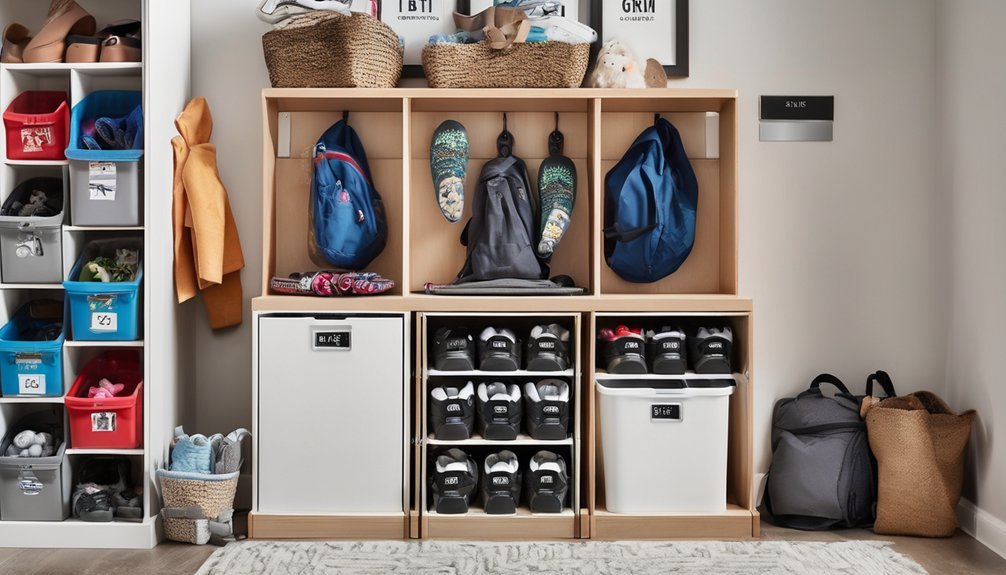
A quick scan can make storage much easier when you use QR codes on labels and bins. You can link each code to a simple list of what’s inside, so you don’t have to open every box. This works well for holiday decor, outgrown clothes, craft supplies, and seasonal gear.
For strong label organization, print durable codes and place them where you can scan fast. Keep the linked note updated whenever you add or remove items, and your storage solutions stay accurate. You’ll save time, cut clutter, and avoid duplicate purchases.
If you sort bins by room or category, the system stays easy to maintain. With a few minutes of setup, you’ll build a reliable method that makes your home feel more controlled.
Share Meal Plans With a Quick Scan
When weekly dinners start to feel hectic, a QR code can make your meal plan easy to share at home. You can link it to a shared document, photo, or app so everyone gets the same plan fast.
For smooth meal sharing, print the code on the fridge, pantry, or weekly planner. Keep recipe access one scan away, so you don’t repeat yourself when someone asks what’s for dinner.
- Update the code each week for fresh meals
- Let kids scan before grocery shopping
- Add serving notes for each night
- Use one code for the whole family
This simple system keeps you organized, cuts confusion, and helps you manage dinner with less effort.
Keep Emergency Contacts in a QR Code
If an emergency ever comes up, a QR code can put key contact details within reach fast. You can save your family’s emergency preparedness plan in a scan-friendly format, so babysitters, neighbors, or relatives can act without delay.
Include names, phone numbers, allergies, doctors, and backup contacts, then place the code on a fridge note, wallet card, or phone wallpaper. That way, you support quick communication even when stress makes it hard to remember details.
Keep the information current and test the code regularly to make sure it opens correctly. You’ll feel more in control, and others will know exactly who to call.
For busy families, this small step turns important information into something practical, portable, and easy to access when every second counts.
Organize School Forms With QR Codes
School paperwork piles up fast, but a QR code can help you keep it organized in one easy place. You can link it to a folder with school documents, permission slips, medical forms, and calendars, so you’re not hunting through drawers or emails.
This simple digital organization system gives you quick access when you need to review details, print a copy, or send a file to school.
- Store one code in your phone notes or on a fridge chart
- Update links anytime without reprinting every paper
- Use separate folders for each child or grade
- Keep form submissions ready before deadlines hit
When you centralize everything, you cut confusion and support stress reduction during busy mornings and last-minute requests.
Add QR Codes to Chores and Routines
You can make daily chores and routines easier to follow by linking a QR code to a simple checklist, calendar, or step-by-step guide. Place one on the fridge, bathroom mirror, or chore chart so everyone can scan and act fast. This keeps chore tracking visible and cuts down on repeated questions. Use routine reminders to prompt morning, after-school, and bedtime tasks.
| Task | QR code link |
|---|---|
| Dishes | Sink checklist |
| Laundry | Fold-and-put-away steps |
| Trash | Pickup schedule |
| Teeth | Morning routine |
| Backpack | Night-before list |
When you update a task, edit the linked page instead of reprinting charts. You’ll save time, reduce friction, and help your family build consistent habits with less effort.
Use QR Codes for Family Trips and Outings
QR codes can make family trips and outings run more smoothly by putting key information right at your fingertips. Use them for family travel to simplify adventure planning and quick itinerary sharing.
- Link one code to travel documents, hotel details, and emergency contacts.
- Add sightseeing tips, activity suggestions, and maps for the day.
- Store packing lists, budget management notes, and location tracking links.
- Save photos, receipts, and memory keeping pages after the trip.
You can print codes on a card, stash one in your phone case, or email them to relatives. When plans change, you update one link instead of texting everyone.
That keeps you organized, cuts confusion, and helps your group move faster. With a few smart codes, you’ll spend less time searching and more time enjoying the outing together.
Create QR Codes for Shared Family Lists
Shared family lists become much easier to manage when a single QR code links everyone to the same up-to-date page. You can use one code for grocery shopping, so anyone can add missing items the moment they notice them.
Put another on a note for birthday planning, and your partner, kids, or grandparents can track gift ideas, snacks, and party supplies without texting back and forth. You’ll cut confusion because everyone sees the same list on their phone.
Create separate codes for chores, meal ideas, or errands if you want a cleaner system. This approach works best when you keep the list short, specific, and easy to scan.
With a simple setup, you’ll spend less time coordinating and more time getting things done.
Keep Family QR Codes Safe and Current
As family routines change, update each QR code so it always points to the right list, note, or calendar. You’ll keep everyone aligned and avoid mix-ups during hectic mornings.
Protect QR code security by placing codes only where family members can reach them, then lock down the linked files with shared permissions you control. Regular updates help you replace old links before they cause confusion or missed tasks.
- Review codes weekly for broken links
- Rename files so scans make sense
- Limit access to trusted family members
- Reprint faded codes before they fail
When you treat QR codes like any other family system, you make them reliable. A quick check now saves time later, and your household stays organized without extra effort.
Frequently Asked Questions
Can QR Codes Work Without an Internet Connection?
Yes, you can scan QR codes offline if they store plain text, contact details, or other data storage. You’ll need internet only for links, apps, or cloud content; that’s offline functionality in action.
What Devices Can Scan Family QR Codes?
You can scan family QR codes with most smartphones and tablets. Check smartphone compatibility first, then try tablet scanning with your camera app or a QR reader. If your device has a camera, you’re probably set.
How Long Do QR Code Links Usually Last?
QR code links usually last like sturdy kitchen magnets: forever, unless you set an expiration. Your QR Code Lifespan depends on the service’s Expiration Policies, so check settings and renew links when you need them.
Can I Print QR Codes in Different Sizes?
Yes, you can print QR codes in different sizes, but you’ll want to keep proper QR code dimensions so scanners read them easily. For reliable QR code printing, test small versions and leave enough white space.
Are QR Codes Safe for Sharing With Relatives?
Yes—if you use them wisely. Nearly 1 in 3 phishing attacks start with links, so you should check QR code safety, follow sharing tips, protect family privacy, and practice QR code etiquette with relatives.
Conclusion
In your busy home, QR codes can save time, cut confusion, and keep everyone in sync. You can scan one for schedules, another for meal plans, and a third for chores or travel lists. Since 68% of families say staying organized lowers daily stress, that quick scan can feel like a small win every day. Keep your codes updated, easy to find, and secure, and you’ll make family life smoother with less effort.