You can turn a simple family photo into a living archive with a QR code, linking a framed portrait, scrapbook, or keepsake to albums, videos, and shared memories online. This approach keeps old moments close while making them easy to revisit, update, and pass along. Once you see how a small code can unlock an entire family story, you may start looking at every memento a little differently.
Key Takeaways
- QR codes can link physical family keepsakes to digital photo albums, videos, and shared memory folders.
- They make family memories easy to revisit, share, and preserve across generations.
- Choose meaningful, high-quality photos and videos that capture milestones, candid moments, and strong emotions.
- Create QR codes with reliable generators, clear labels, and tested links for easy access.
- Keep digital archives organized, backed up, and updated so memories remain accessible over time.
What Are QR Codes for Family Photos?
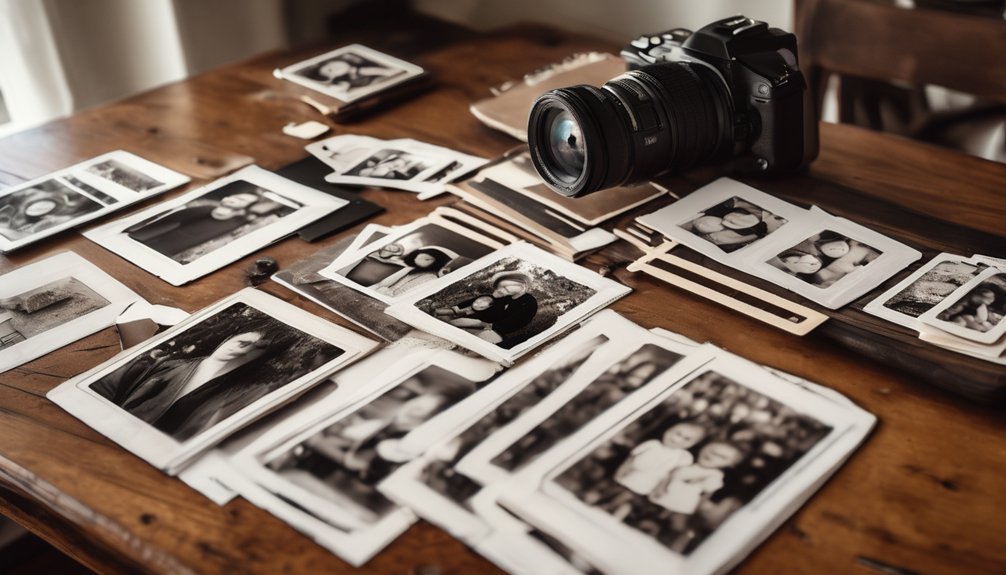
A tiny square can hold a whole memory lane: QR codes for family photos are scannable links that take you straight to digital albums, shared folders, or restored snapshots of loved ones.
You print or display one beside a frame, card, or keepsake, then anyone with a phone scans it to open the image collection.
In digital storytelling, you use that code to connect a physical object with a living archive, so old birthdays, holiday dinners, and candid porch moments stay easy to revisit.
This creates interactive nostalgia, letting you move from paper or metal keepsakes into curated photo pages in seconds.
When you understand the format, you can organize memories with precision, preserve captions, and make each scan feel like a quiet reunion.
Why Use QR Codes for Family Memories?
QR codes for family memories do more than link to photos—they make those moments easy to revisit, share, and preserve in the places you already keep them. You can place one on an album, frame, card, or keepsake and turn a static object into a living record.
That matters when you want memory preservation that’s simple, durable, and accessible across generations. With a scan, you reconnect with birthdays, reunions, and quiet everyday scenes that might otherwise fade.
You also create digital nostalgia that feels intentional, not cluttered, because each code directs attention to a specific story. When you use QR codes well, you organize family history with precision, keeping sentiment close at hand without losing the physical charm of the original memento.
Choose the Best Photos and Videos

Start with the images and clips that carry the strongest feeling, because those are the ones you’ll want to revisit most.
Then sort by purpose: milestone portraits, candid laughter, and small details that tell the fuller story.
Use photo selection tips to favor sharp focus, balanced light, and expressions that feel alive rather than staged.
Keep duplicates only when they show a meaningful change in angle or mood.
For videos, apply video quality considerations, checking clear audio, steady framing, and enough length to preserve the moment’s rhythm.
You don’t need every file; you need the ones that spark memory instantly.
Choose with discipline, and your collection will feel curated, intimate, and easy to treasure for years.
Create a QR Code for Your Family Album
Once your family album is organized, you can turn it into a QR code that makes sharing feel simple and immediate.
Choose a reliable generator, paste the album link, and set the destination so it opens cleanly on phones and tablets. Test the code at different sizes to protect photo accessibility, especially if you plan to preserve delicate captions or scanned prints.
Add a short label near the code so relatives know what they’ll find before they scan. For mastery, save the file in a high-resolution format and keep a backup of the linked album.
This approach strengthens digital storytelling by letting you connect faces, dates, and memories in one seamless path. Your family history becomes easier to revisit, share, and treasure.
Add QR Codes to Frames and Keepsakes

When you want a memory to feel both visible and accessible, you can add a QR code to a frame or keepsake and turn a photo display into a small archive.
Place it discreetly on the back, mat, or base so the piece stays elegant. You can link the code to scans, captions, audio notes, or restored images, giving each object richer context.
For photo enhancements, choose a landing page that loads quickly and preserves detail. Test the code under indoor light, then seal or mount it so it lasts.
This approach strengthens digital storytelling without crowding the original design. When you handle each frame with care, you honor the past and make every glance invite a deeper return.
Share QR Codes in Gifts and Cards
A folded card can carry more than a greeting when you tuck a QR code inside it. You can pair it with birthday notes, holiday messages, or anniversary keepsakes, turning simple paper into a portal to family moments.
Choose gift ideas that feel personal: a code linking to a grandparent’s photo album, a wedding slideshow, or a child’s first-day snapshots. With thoughtful card designs, you can place the code near a handwritten line, a border, or the back panel without crowding the layout.
Print it clearly, test it before you mail it, and add a brief cue like “scan for memories.” That small detail makes your gift feel deliberate, intimate, and beautifully remembered.
Organize Your Digital Family Archive
To keep your family photos easy to find and share, set up a simple digital archive that works like a memory map. You’ll master photo management by sorting images into clear folders, such as years, events, and family branches. Use consistent file names so each image tells its own story. Keep your digital storage tidy with this structure:
| Folder | Purpose |
|---|---|
| 2024 | Current memories |
| Weddings | Major milestones |
| Holidays | Seasonal traditions |
| Ancestors | Scanned keepsakes |
Add brief notes for names, places, and dates, then review each folder regularly. This method preserves the warmth of old albums while giving you precise control over every treasured image.
Keep QR Links Safe and Updated
Because family memories deserve lasting access, keep each QR code tied to a reliable link and check it often.
Strong QR code security starts with Digital link management: use trusted hosts, unique URLs, and Link shortening only when it preserves clarity.
Set Privacy settings so only the right relatives can view albums, then test User accessibility on phones and tablets.
Schedule Regular updates to catch broken pages, moved files, or changed permissions before anyone scans an empty frame.
Watch for Code expiration on temporary shares, and replace them before old codes fail.
Keep Backup systems for every album and destination page, so a misplaced edit doesn’t erase a birthday, a reunion, or a handwritten note.
With disciplined maintenance, your archive stays clear, safe, and ready.
Use QR Codes at Family Reunions
At a family reunion, you can turn QR codes into easy bridges between the day’s laughter and the memories you want to keep. In a family gathering, place codes on name tags, tables, or posters to guide photo sharing and digital storytelling.
| Spot | Action | Result |
|---|---|---|
| Entry | Scan | Welcome album |
| Tables | View | Interactive memories |
| Games | Join | Engagement activities |
This tech integration creates a calm nostalgia experience: cousins revisit childhood summers, elders add captions, and you strengthen family connections without interrupting the flow. Keep each code linked to one album, one story, or one prompt so guests move quickly and stay engaged. When you design the system with purpose, you don’t just display photos—you shape a living archive that feels personal, orderly, and wonderfully shared.
Common Family QR Code Mistakes to Avoid
Even the sweetest family photo projects can stumble when a QR code points to the wrong album, opens a broken link, or leads guests to a page that’s hard to use on their phones. You can avoid errors by testing every code on multiple devices before printing, especially if you’re sharing scanned snapshots from old birthdays, reunions, or holiday tables.
Don’t overlook the destination’s load time, privacy settings, or file size; these common mistakes can frustrate relatives fast. Use clear labels beside each code, and keep the link stable so memories don’t disappear after the ink dries.
When you update albums, retest the code immediately. That careful rhythm helps you protect the experience, honor your family’s story, and deliver a polished keepsake that works every time.
Frequently Asked Questions
Can QR Codes Work Without Internet Access?
Yes, you can use QR codes offline if they store text, contact details, or local file links. You’ll keep Offline accessibility and QR code functionality, though scanned content won’t fetch internet-hosted memories without connectivity.
Do QR Codes Expire Over Time?
No, your QR codes don’t usually expire—how delightfully stubborn. You control QR code longevity through the destination, print quality, and upkeep. For reliable QR code usage, you’ll want stable links, durable materials, and occasional checks.
Can One QR Code Store Multiple Photo Albums?
Yes, you can link one QR code to multiple albums through a single landing page or folder, depending on your storage options. You’ll keep cherished moments organized, making sharing easy, elegant, and scalable.
Are QR Codes Compatible With All Smartphones?
Most smartphones can scan QR codes, but you’ll face QR code advantages and QR code limitations; as the adage says, “There’s no place like home.” You’ll need a camera, internet, and supported scanner app for mastery.
How Do I Scan a QR Code From a Printed Photo?
Open your camera, point it at the printed photo’s QR code, and let it focus. If it won’t read, adjust lighting or distance, then save the link for photo organization using careful scanning techniques.
Conclusion
So there you are, standing in front of a framed snapshot like it’s a sacred relic, when all it needs is a tiny QR code to wake up the whole family archive. You scan, and suddenly Grandma’s laugh, Dad’s questionable haircut, and that one reunion potato salad reappear like magic. Keep your links updated, or your memories will join the museum of “we meant to fix that.” Use QR codes wisely, and you’ll make nostalgia annoyingly convenient.