Like a well-run command center, your home works better when the right online tools keep everyone aligned. You can use shared calendars, bill trackers, meal planners, task apps, and grocery list tools to cut down on missed errands and last-minute stress. The real challenge is choosing the setup that fits your routine, because the best system isn’t always the most complex one…
Key Takeaways
- Use shared calendar tools with color coding, recurring events, and alerts to coordinate family schedules and avoid conflicts.
- Choose task management apps that assign chores, track progress, and send reminders for room-based home organization.
- Use bill reminder and budget tracking tools with account syncing to monitor due dates, spending, and savings in real time.
- Pick meal planning tools with drag-and-drop calendars, recipe organization, and shopping list generation to simplify weekly prep.
- Store home maintenance records, warranties, and service dates in digital decluttering tools for easy search and long-term tracking.
Best Home Management Tools by Use Case

Choosing the best home management tool depends on what you need most, since no single app handles every household task equally well.
For home organization, choose a visual planner that keeps rooms, supplies, and routines clear.
If time management is your priority, use a task tool with reminders and recurring deadlines.
For family logistics, pick a system that tracks errands, appointments, and assignments without confusion.
When home maintenance matters, you need a tracker for repairs, warranties, and service dates.
For digital decluttering, use a simple archive structure that limits clutter and keeps files searchable.
If you handle project planning, select a workspace for checklists and milestones.
For cleaning schedules and family activities, use a repeatable routine builder that keeps everyone aligned.
Home Management Apps for Shared Calendars
Shared calendars help you keep every appointment, school event, and family commitment in one place so nothing slips through the cracks. You can compare home management apps by shared calendar features, then choose the setup that fits your routine.
| Feature | Why it matters |
|---|---|
| Color coding | You spot each person’s schedule fast. |
| Recurring events | You save time on repeat tasks. |
| Shared alerts | You get reminders before conflicts start. |
Check syncing options next. The best apps update across phones, tablets, and desktops without delay, so everyone sees the same plan. Set permissions carefully, assign owners for entries, and review availability weekly. When you use one clear calendar system, you reduce confusion, improve coordination, and keep your household running with precision.
Home Management Tools for Bills and Budget Tracking

Once your calendar keeps family events in order, the next step is keeping household money just as organized. You can use bill reminder apps to track due dates, avoid late fees, and set alerts for recurring payments.
Pair them with budget analysis tools to review spending, compare categories, and spot leaks before they grow. Choose platforms that sync with your accounts, update in real time, and present clean dashboards you can scan quickly.
Set a weekly review routine so you confirm balances, adjust limits, and stay ahead of surprises. When you automate reminders and monitor trends, you gain control without extra effort.
That discipline helps you make smarter decisions, protect cash flow, and keep your home finances running with confidence.
Home Management Meal Planning Tools
When dinner feels like one more task on a crowded schedule, meal planning tools can help you take control of groceries, prep time, and weekly menus.
You can build repeatable meal prep strategies, map ingredients to store aisles, and cut last-minute takeout. Use recipe organization features to save favorites, tag dietary needs, and sort meals by cook time or complexity.
Many tools let you drag and drop dishes into a calendar, generate shopping lists, and scale portions for your household. That structure helps you plan around busy nights without losing variety.
When you review plans weekly, you’ll spot patterns, reduce waste, and keep your kitchen workflow efficient.
With the right tool, you’re not just planning meals—you’re managing them with precision.
Task Management Apps for Household Chores
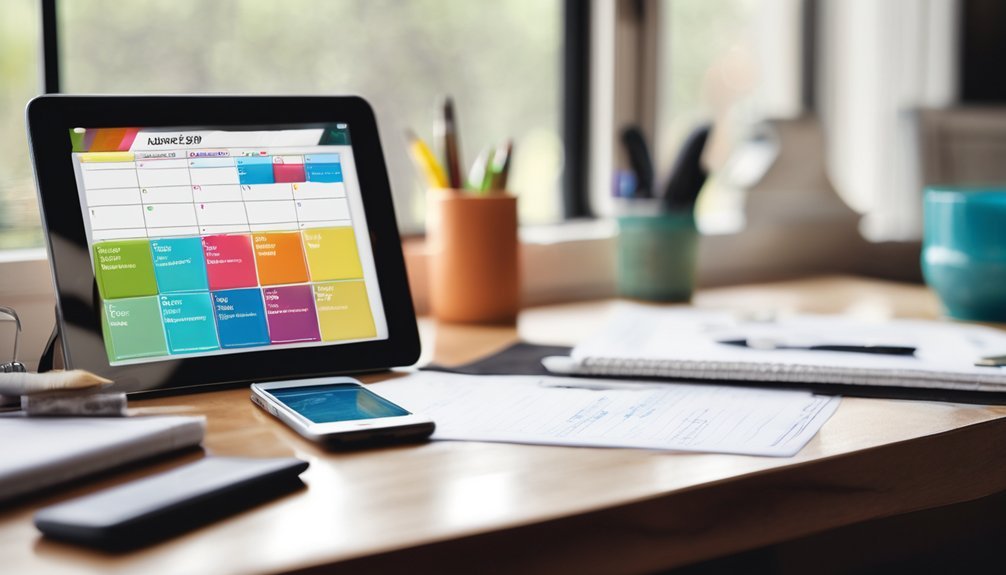
Task management apps can turn household chores into a simple, shared system you can actually keep up with. You assign chores, set due dates, and see progress at a glance. For strong chore delegation, build repeating tasks for dishes, laundry, and trash, then match each job to the right person.
Use productivity tracking to spot bottlenecks, confirm completion, and adjust workloads before resentment builds.
- Create room-based lists so you can sort tasks fast.
- Set reminders that nudge without nagging.
- Review weekly to rebalance duties and improve accountability.
When you use the app consistently, you reduce mental load, improve follow-through, and keep your home running with less friction.
Home Management Tools for Grocery Lists
Grocery list tools keep your kitchen planning just as organized as your chore system. You can build master lists, sort items by aisle, and update quantities in seconds.
Strong grocery tracking lets you record what you buy, watch staples run low, and avoid repeat trips. Use tags for weekly meals, pantry restocks, and special purchases so you stay ahead of shortages.
Good shopping organization also helps you compare store layouts, group items efficiently, and cut time in each aisle. Choose tools that sync across devices, support voice entry, and let you reuse templates for predictable routines.
When you keep your list current, you reduce waste, sharpen budgeting, and shop with confidence. Master this system, and your grocery runs’ll feel deliberate, fast, and controlled.
Family Communication Apps for Busy Households
- Post one clear message for each update.
- Pin urgent reminders where everyone sees them.
- Keep conversations grouped by topic, not chaos.
When you use these tools consistently, you reduce confusion and save time.
You also give your household a simple communication system that works under pressure and keeps routines moving.
How to Choose a Home Management App
When you choose a home management app, start by matching its features to your household’s real needs. List what you want to track: chores, budgets, schedules, inventories, or shared notes.
Then compare each app against your user preferences, so you don’t pay for tools you’ll never use. Check app compatibility, too; it should work smoothly on every phone, tablet, or computer your family relies on.
Review privacy settings, sync speed, and offline access, because reliability matters when plans change. Look for clear navigation and strong search, since you’ll save time when information is easy to find.
Read current reviews from users with similar routines, and choose an app that feels precise, flexible, and easy to trust over time.
Simple Setup Tips for Daily Use
Once you’ve picked the right app, set it up in a way that fits your routine from day one. Start by entering recurring tasks, bills, and reminders first; this gives you immediate structure. Then sync calendars and shared lists so everyone sees updates in real time.
- Build your main dashboard around your daily routines.
- Turn on smart alerts for deadlines, groceries, and chores.
- Review settings weekly to keep the system lean.
Use categories that match how you think, not how the app labels things. Add shortcuts for your most repeated actions; they’re simple time saving hacks that reduce friction.
Keep notifications limited to essentials so you stay focused. Finally, test the setup for seven days, then adjust anything that slows you down.
Frequently Asked Questions
How Do Home Management Tools Protect My Family’s Personal Data?
They protect your family’s personal data by using data encryption, limiting access, and following clear privacy policies. You can also strengthen safety by choosing strong passwords, enabling two-factor authentication, and reviewing settings regularly.
Can These Tools Work With Smart Home Devices?
Yes, they can. You can connect many home management tools to smart home devices through smart device integration, letting you automate routines, save time, and coordinate lights, locks, thermostats, and reminders with ease.
Are There Offline Options for Managing Household Tasks?
Yes—you can use offline planners and task charts to manage chores effectively. About 60% of people still prefer paper for planning, and you’ll gain control, visibility, and flexibility without relying on apps or Wi-Fi.
Do Home Management Apps Support Multiple Languages?
Yes, many apps support multiple languages through multilingual support in the user interface. You can switch languages, share tasks across households, and manage reminders confidently. Check settings first, since availability varies by app and region.
Can I Export My Household Data to Another App?
Yes, you can often export your household data, but you’ll need to check each app’s data synchronization and app compatibility first. Like a bridge between islands, export tools help you move information cleanly and keep control.
Conclusion
With the right home management tools, you can keep your household running like a well-oiled machine. You’ll stay on top of calendars, bills, meals, chores, and grocery lists without feeling overwhelmed. Pick apps that fit your routine, then set them up with shared access and simple reminders. When you keep everything in one place, you save time, cut stress, and make daily life easier for everyone in your home.