
Families often need more than a calendar to stay organized. The strongest online tools for planning and schedules combine shared access, task tracking, meal coordination, and secure messaging in one system. Their value depends on accuracy, ease of use, and privacy controls. Yet the best option is not always the most feature-rich one. The real test is how well it fits daily routines, and that answer is rarely obvious at first.
Key Takeaways
- Choose family planning tools with strong privacy, secure sharing, and customizable permissions for each user.
- Use shared calendar apps to centralize schedules, color-code events, and improve reminders and weekly coordination.
- Pick meal planning tools that combine recipes, grocery lists, and prep schedules for easier weeknight planning.
- Select task managers that assign recurring chores, track due dates, and balance household responsibilities fairly.
- Use family communication apps with shared threads, read receipts, and media sharing for fast, organized updates.
What to Look for in Family Planning Tools
When evaluating family planning tools, the most useful options tend to combine accuracy, privacy, and practical usability in a single platform. Analysts typically prioritize clear user profiles, strong privacy settings, and user-friendly interfaces that reduce friction during shared planning.
Integration features matter because they connect calendars, reminders, and health data without exposing sensitive details. Notification options should be precise, allowing discreet alerts that support intimate routines without overloading the user.
Cross-platform compatibility is also essential, since families often move between phones, tablets, and desktops. Strong customization capabilities let users tailor schedules, visibility, and shared permissions.
Budgeting tools add measurable value by linking plans to expenses, helping households coordinate with fewer surprises and greater confidence.
Best Shared Calendar Apps for Families
Shared calendar apps often serve as the practical backbone of family planning because they centralize schedules, reduce miscommunication, and make recurring obligations easier to track.
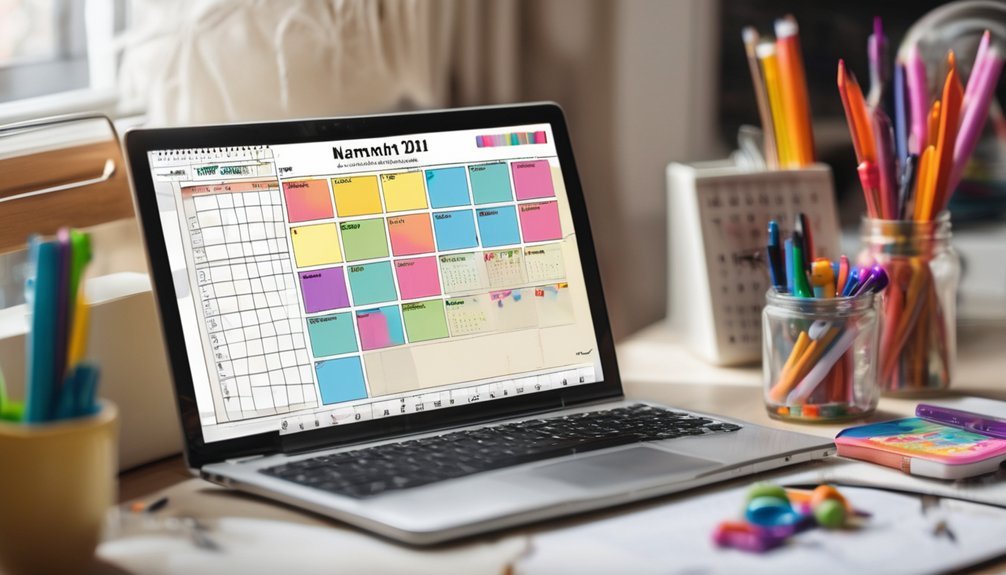
Families evaluating top options typically compare shared calendar features such as color coding, reminder controls, agenda views, and permission settings. These functions help each member see commitments at a glance while preserving privacy where needed.
Data from usage reviews often shows that synchronization speed and mobile reliability matter most in households with frequent transitions.
Effective family scheduling tips include assigning one primary calendar, setting event alerts 24 hours ahead, and reviewing the week together every Sunday.
The strongest apps support affectionate coordination by making daily logistics feel orderly, transparent, and quietly reassuring.
Meal Planning Tools That Save Weeknights

Meal planning tools can reduce weekday decision fatigue by consolidating recipes, grocery lists, and prep schedules into a single workflow.
In practice, they let families compare meals by time, cost, and dietary fit, then assign each dish to specific nights. Data-rich interfaces often surface ingredient overlap, lowering waste and shortening store trips.
Features such as meal prep timers, portion scaling, and recipe sharing support coordinated planning without constant back-and-forth. For households seeking closeness, the effect is subtle but meaningful: less friction at 6 p.m., more room for shared conversation.
Many tools also track favorites and automate recurring menus, which can stabilize routines while keeping variety. The result is a calmer weeknight rhythm, supported by clear choices rather than last-minute improvisation.
Task Managers for Chores and Errands
These platforms typically assign recurring duties, set due dates, and display completion rates, allowing a household to measure load distribution with clarity. Their strongest value often appears in chore delegation, where tasks can be matched to availability, age, or skill level, preserving fairness without constant oversight.
Many tools also support grocery tracking, linking errands to lists and budget limits so purchases stay organized and repeatable.
For families seeking closeness, the benefit is practical: fewer forgotten obligations, less friction over who does what, and more predictable routines.
When used consistently, task managers create a calmer domestic rhythm and stronger shared accountability.
Family Communication Apps for Quick Updates

When chores and errands are already organized, the next efficiency gain comes from faster household messaging. Family communication apps compress routine coordination into concise family updates and instant notifications, reducing missed pickups, delayed dinners, and repeated calls.
Their value lies in immediacy and traceability, which helps households stay close even across busy schedules.
- Shared group threads centralize messages.
- Read receipts show who has seen updates.
- Media sharing sends photos, locations, and reminders.
- Push alerts deliver time-sensitive changes quickly.
Analytically, these tools improve response speed and lower coordination overhead. Practically, they support a warmer rhythm at home, where small messages preserve intimacy without demanding long conversations.
The result is a more connected household, with less friction and more confidence in daily plans.
How to Choose the Right Family App
A suitable family app is chosen by matching features to household workflow, since the best option is the one that reduces coordination time without adding complexity.
Selection should begin with a clear list of needs: shared calendars, task lists, location sharing, meal planning, or document storage. Then the app features can be compared against frequency of use, device compatibility, and privacy controls.
A clean user interface matters because busy caregivers need fast navigation and minimal taps. Data security, sync speed, and offline access are measurable factors that affect reliability in daily life.
The strongest choice is usually the one that fits the family’s routines closely, supports private moments, and keeps every plan visible without making scheduling feel clinical or distant.
Tips for Getting Everyone to Use It
Even the best family app adds little value if household members do not adopt it consistently. Data suggests user adoption rises when onboarding takes under five minutes and the first shared task feels immediately useful.
Effective engagement strategies should begin with one visible benefit, such as shared meals or pickup times, so every person sees personal relevance. Regular prompts help, but intimacy grows when the tool supports small daily coordination rather than surveillance.
- Assign one admin, then rotate review duties.
- Use recurring reminders for routines that matter most.
- Keep labels simple, private, and emotionally neutral.
- Celebrate completed weeks to reinforce habits.
When the system reduces friction and respects boundaries, participation becomes less a chore and more a quiet act of care.
Frequently Asked Questions
How Secure Are Family Planning Apps?
Family planning apps are only as secure as their data privacy practices; user reviews often reveal weaknesses. Encryption, consent controls, and transparent policies improve safety, yet intimate details remain vulnerable without rigorous vendor oversight and regular updates.
Can These Tools Work Offline?
Yes, sometimes. Many offer Offline functionality for data entry, then synchronization options later; a bridge over troubled water. Performance depends on app design, device storage, and update frequency, while preserving discreet, intimate records securely.
Do They Support Multilingual Households?
Yes, many offer multilingual support, though coverage varies by platform. A careful review of cultural considerations shows that shared calendars, reminders, and interface localization can better accommodate intimate household coordination across languages.
Are There Parental Controls for Kids’ Access?
Yes—many platforms include parental controls, typically through content filtering and usage tracking. These features limit access, monitor activity, and provide structured oversight. Effectiveness varies by provider, with stricter settings usually offering greater family safety and intimacy.
Can Multiple Caregivers Use the Same Account?
Yes, multiple caregivers can often use one account, but shared access typically depends on account limitations, permissions, and audit controls. Data suggest structured profiles improve coordination, while preserving privacy and accountability for intimate family decision-making.
Conclusion
In evaluating the best online tools for family planning and schedules, the evidence points to a clear pattern: the most effective apps are those that unify calendars, meals, chores, and communication in one reliable system. When used consistently, they reduce conflict, save time, and improve accountability. Like a well-tuned orchestra, each tool plays its part, turning daily chaos into coordinated rhythm. The strongest choice depends on privacy, usability, and the family’s specific routines.