Could the right free tools actually make your school mornings calmer instead of more chaotic? You can use shared calendars to keep everyone aligned, visual checklists to guide kids step by step, and reminder apps to cut down on missed tasks. Meal-planning tools can also simplify breakfast and lunch decisions. The real question is which combination fits your routine best.
Key Takeaways
- Shared family calendars keep school mornings organized with instant updates, color-coding, and reminders for pickups and transitions.
- Visual checklists help kids complete morning tasks independently using icons, checkboxes, and age-appropriate layouts.
- Alarm and reminder apps keep wake-ups, dressing, and bag checks on schedule with labeled alerts and weekday settings.
- Meal-planning tools simplify breakfast and lunch prep by organizing quick recipes, pantry checks, and recurring weekday templates.
- Consistent morning routine tools reduce stress, decision fatigue, and last-minute surprises while building better habits.
How Free Morning Routine Tools Help
Free morning routine tools help you start the school day with less stress and more structure by turning everyday tasks into simple, repeatable steps. You can map each task, from waking up to grabbing materials, so nothing depends on guesswork.
This supports time management because you see what to do next and how long each step should take. When you follow a clear sequence, you cut decision fatigue and move faster without rushing. That leads to stress reduction, especially on busy mornings when small delays can derail everything.
You’ll also build consistency, which makes good habits easier to maintain. By using a simple tool daily, you train yourself to stay organized, focused, and prepared before the first bell rings.
Best Free Schedule Trackers for Families
Once your morning routine feels predictable, a free schedule tracker can help your whole family keep the rest of the day in sync. You can use it to map school drop-offs, work meetings, practices, and homework blocks in one place. This supports family organization and sharper time management because everyone sees commitments before conflicts appear.
- Choose a shared calendar that updates instantly.
- Color-code each person for quick scanning.
- Set reminders for transitions and pickups.
- Review the next day each evening.
When you track events consistently, you reduce last-minute surprises and make smarter decisions about time. You’ll also spot overload early, so you can adjust plans before stress builds.
Free Visual Checklists Kids Can Use
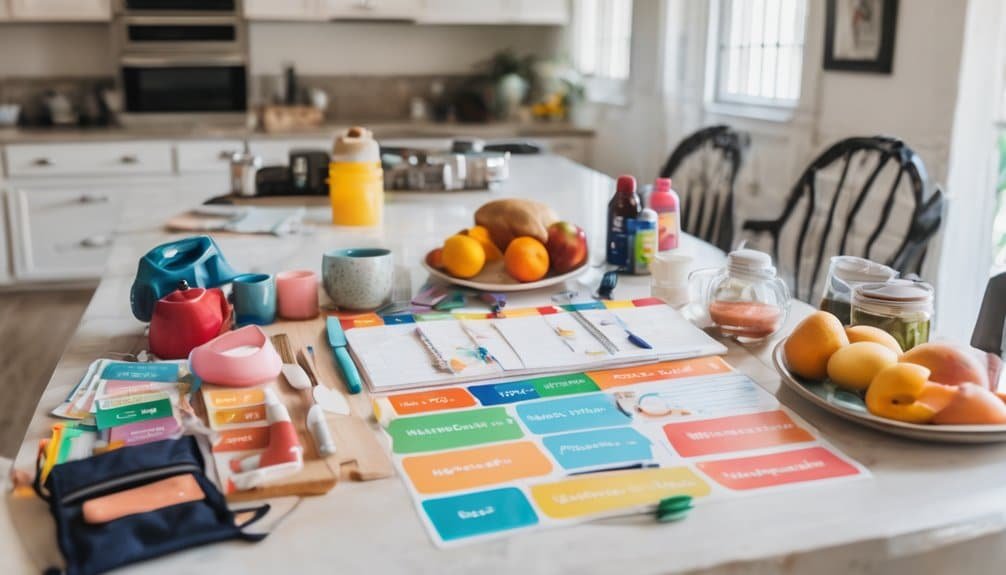
A visual checklist can help your child move through morning, after-school, or bedtime tasks without constant reminders. You can print one for free, laminate it, and reuse it with a dry-erase marker. Simple icons, short phrases, and a fixed order make it easier to follow.
The main visual checklist benefits are clearer expectations, less resistance, and faster independence. You can match the layout to your child’s age: picture-based for early readers, text-based for older kids.
Try engaging checklist designs with color coding, check boxes, or magnets to keep attention high. Place the checklist where your child already looks, like a bathroom mirror or backpack station.
Review it together at first, then step back as your child builds a reliable routine.
Alarm and Reminder Apps for School Mornings
When mornings feel rushed, alarm and reminder apps can keep your child on track with less nagging from you. You can set wake-up tones, school-start alerts, and timed prompts that match your family’s routine.
Strong alarm customization lets you choose labels, sounds, repeat days, and snooze limits, so each alarm serves a clear purpose. Reminder notifications help your child move from one task to the next without constant coaching.
- Set a first alarm for waking up
- Add reminder notifications for dressing
- Schedule a second alert for bag check
- Use consistent alarm customization every weekday
Pick one app, test it for a week, and adjust only what’s not working. You’ll build reliability, reduce friction, and help your child manage mornings more independently.
Free Meal-Planning Tools for Busy Mornings

Free meal-planning tools can cut morning stress by helping you decide breakfast, pack lunches, and check pantry items before the day starts.
Use cooking apps to organize meal prep, save breakfast ideas, and build grocery lists in minutes. You can sort quick recipes by prep time, then match them to your schedule for better time management.
Many tools let you tag healthy snacks and lunch options, so you’re not guessing when the house is busy. If you add family involvement, each person can choose one meal or snack, which speeds planning and improves buy-in.
Set recurring templates for weekdays, then update them on Sunday night. With a simple system, you’ll start mornings prepared, reduce decision fatigue, and keep school meals consistent.
How to Choose the Best Routine Tool
What should you look for in a routine tool that actually helps your school days run smoother? Choose one that matches your real habits, not an ideal schedule.
You want routine customization so you can adjust tasks, alarms, and priorities for different mornings. Strong time management features matter too, because they help you sequence prep, departure, and class deadlines without guesswork.
- Simple setup that saves time
- Flexible reminders for changing days
- Clear visuals for fast scanning
- Free access without hidden limits
Test the tool for a week and notice whether it reduces stress or adds steps. If it’s easy to update and keeps your morning focused, you’ve found a practical system that supports mastery.
Frequently Asked Questions
Which Tools Work Offline Without Internet Access?
You can use offline productivity apps like Google Keep offline notes, Microsoft To Do, and Notion pages synced ahead of time for task management. You’ll stay organized without internet access and keep your morning routine moving smoothly.
Can These Tools Sync Across Multiple Devices?
Yes, many do, but you’ll need to check sync capabilities and device compatibility first. You can often sync across phones, tablets, and laptops, though some free tools limit features, accounts, or offline changes.
Are Any of These Tools Suitable for Teenagers?
Yes, you can use them for teenagers if you choose flexible apps and add teen engagement strategies. You’ll also benefit from time management tips, since reminders, checklists, and shared calendars keep routines practical, clear, and effective.
Do These Tools Support Multiple Languages?
Yes, many do; like a passport stamped in several countries, you’ll find language options in settings. Check each user interface, since support varies. You can often switch languages, but some features may stay untranslated.
Can Parents Customize Reminders for Different Weekdays?
Yes, you can customize reminders for different weekdays. You’ll use customizable alerts and weekday settings to assign unique times, messages, or tasks for each day, helping you match school mornings to your family’s routine.
Conclusion
So, you’ve got options: shared calendars, kid-friendly checklists, alarm apps, and meal planners—all free, all pretending your mornings are chaos-free. Use them, and maybe you’ll finally stop hunting for backpacks while negotiating with a sock-resistant child. Pick the tool that fits your family’s habits, not the fantasy version of them. When you keep routines visible, timed, and simple, you make school mornings less heroic and more human.