A simple QR code can feel like a tiny key to a whole classroom. You can use it to send students straight to videos, quizzes, and directions, while parents can add it to chore charts, notices, and schedules for quick access to helpful resources. When you use QR codes well, you save time, reduce confusion, and make school and home support work together in ways that might surprise you.
Key Takeaways
- Teachers use QR codes to link handouts, desks, and bulletin boards to videos, directions, quizzes, and reference materials.
- Teachers use QR codes for exit tickets and quick assessments to gather real-time student responses.
- QR codes help students access resources instantly, reducing typing and keeping attention on learning tasks.
- Parents use QR codes to organize home routines by linking recipes, chore charts, calendars, and schedules.
- Families use QR codes for homework help, learning games, and music playlists, making access easier and more consistent.
What Are QR Codes in Education?
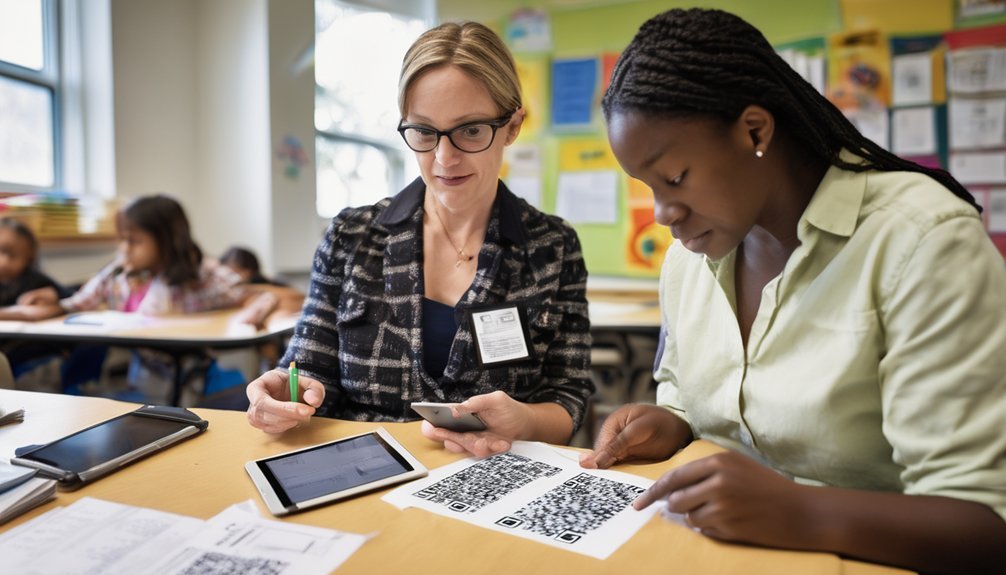
QR codes in education are simple, scannable squares that link students, parents, and teachers to digital information in seconds. You can trace QR code history to automotive manufacturing, where fast data retrieval first mattered.
Today, QR code technology stores URLs, text, and other data in a compact matrix that phones and tablets read instantly. In classrooms, QR code applications might direct you to assignments, forms, lesson slides, attendance check-ins, or parent notices.
You’ll notice QR code benefits in the way they reduce typing, shorten access steps, and keep printed materials connected to updated online resources. When you understand what they are, you can use them confidently as a practical bridge between physical materials and digital content.
Why QR Codes Make Learning Easier
Once you know how QR codes work, it’s easy to see why they make learning smoother for everyone involved. You can reduce friction, save time, and keep attention on the task instead of the process.
QR codes support interactive learning because they connect you to resources with a quick scan, so you don’t waste energy typing long links or searching through menus. They also give instant feedback, which helps you correct mistakes and build confidence faster.
- You access material quickly.
- You stay focused on learning goals.
- You respond to information right away.
- You build stronger habits through repetition.
When you remove barriers, you make it easier to practice, review, and master new skills.
Classroom Uses for QR Codes

In the classroom, you can use QR codes to make everyday tasks faster and more interactive. You can post codes on desks, handouts, or bulletin boards to link students directly to directions, videos, quizzes, and reference materials. This saves time, reduces confusion, and supports student engagement because learners can access content independently.
You can also place QR codes on station activities, so groups move through lessons with clear, self-directed prompts. When you use them for exit tickets, you collect responses quickly and check understanding in real time.
QR codes also support interactive learning by connecting print materials to audio, slides, or extra practice. With simple scanning, you streamline instruction, keep attention focused, and create a classroom that feels organized, responsive, and efficient.
Home Uses for QR Codes
At home, QR codes can make family routines easier by linking you directly to recipes, chore charts, schedules, and Wi-Fi details. You can use them for home organization, recipe sharing, and event planning without digging through apps or papers.
Place codes on the fridge, pantry, or calendar so everyone accesses the same digital resources fast. They also support family communication by pointing to shared notes, pickup plans, or weekend updates.
For family activities, you can link to learning games, music playlists, or museum tickets. For homework assistance, a code can open trusted guides, videos, or reading lists.
- Save time with one scan.
- Keep information current and visible.
- Reduce confusion for kids and guests.
- Build consistent routines with fewer reminders.
How to Create QR Codes for Assignments

Creating QR codes for assignments is simple, and it can save you time when you want students to access directions, links, or handouts quickly. Use QR code creation tools to paste your URL, title, and due date, then generate a code. For assignment tracking, label each code clearly and test it before class.
| Step | Action | Purpose |
|---|---|---|
| 1 | Choose coding tools | Build codes fast |
| 2 | Add digital resources | Link materials |
| 3 | Print or display | Support access |
| 4 | Review results | Improve student engagement |
| 5 | Refine workflow | Strengthen classroom management |
This technology integration supports interactive learning, since students can scan and start work right away. Keep your format consistent, and you’ll master a repeatable system that keeps instructions organized and easy to use.
How to Share Resources With QR Codes
When you want students or parents to access materials quickly, QR codes make sharing simple because you can connect them to worksheets, slide decks, videos, newsletters, or online folders in one scan.
You strengthen resource sharing when you place one code on handouts, classroom walls, or parent packets and keep the linked file current. Use short, descriptive labels so people know what they’ll get before scanning. This improves digital engagement and reduces confusion.
- Link each code to one clear resource.
- Test the scan on multiple devices.
- Use permissions that match your audience.
- Update the destination without reprinting whenever possible.
You’ll help users move from interest to action faster, and you’ll create a smoother system for repeated access to key materials.
How to Use QR Codes for Events and Reminders
Need a quick way to help families stay on top of school events and reminders? You can place a QR code on flyers, newsletters, slides, and signs so parents scan it and reach the right event page instantly.
Link the code to event registration, a calendar entry, or a sign-up form, depending on what you want families to do. You can also use separate codes for different events, such as concerts, conferences, and volunteer days, so each one stays organized.
For ongoing communication, pair QR codes with reminder notifications through text, email, or a calendar alert. This lets you reduce missed deadlines and last-minute confusion.
Test each code before sharing it, then update the destination whenever the schedule changes.
QR Code Safety and Accessibility Tips
To keep QR codes safe and easy for everyone to use, you should place them only on trusted materials and make sure the link behind each code is secure and appropriate for families.
Strong QR code security starts with verifying the destination before you share it. You can improve access by choosing high-contrast codes and printing them large enough for quick QR code scanning.
- Use plain labels so users know what they’ll open.
- Keep enough white space around each code.
- Test codes on different devices and lighting conditions.
- Offer a typed URL for users who can’t scan.
When you design for clarity, you reduce confusion, support independence, and help every parent or student reach the right information without delay.
Best Practices for Schools and Families
For QR codes to work well in schools and at home, you should build a simple routine that keeps them useful, secure, and easy to follow. You can place codes where students and families expect them, then test each link often.
Use clear labels so parent engagement improves and student interaction stays focused. Pair each code with brief directions, and choose educational resources that match your goals.
Keep technology integration intentional by linking only to trusted digital tools, not random content. Share updates through family communication channels, and offer learning support when questions come up.
You should also invite teachers, caregivers, and students to co-create collaborative projects, since that strengthens ownership and makes QR use more meaningful.
Frequently Asked Questions
Can QR Codes Track When Students Scan Them?
Yes, you can track when students scan QR codes if you use a dynamic QR platform. You’ll see tracking analytics like scan time, location, and device data, helping you measure student engagement.
Do QR Codes Work Without Internet Access?
Yes—QR codes work without internet access; you can scan, you can save, you can open local content. Your scanning methods matter, and offline access depends on what the code links to, not the code itself.
How Often Should QR Codes Be Replaced or Updated?
You should update QR codes whenever their linked content changes, and replace printed codes if they’re damaged or outdated. Good QR code management extends QR code lifespan, so review them monthly and test them regularly.
Can QR Codes Be Customized With School Logos and Colors?
Yes, you can customize QR codes with school logos and colors to match your QR code design. You’ll create strong branding opportunities, improve recognition, and still keep codes scannable when you use high contrast and proper sizing.
What Devices Can Scan QR Codes Best?
You’ll get the best QR scanning from smartphones and tablet cameras with strong scanning capabilities. Use QR apps if needed, since device compatibility, user preferences, technology trends, and accessibility features all affect performance.
Conclusion
By using QR codes, you can make learning faster, clearer, and more connected. In class, they help you share lessons, quizzes, and reminders in a flash; at home, they make routines and resources easier to access. When you keep codes safe, readable, and simple, everyone benefits. Small tools can make a big difference, so don’t miss the boat. With a little planning, you’ll create a smoother experience for students, parents, and teachers every day.