You don’t need a large budget to create polished invitations for family events. You can use free tools like Canva, Evite, or Adobe Express to choose templates, adjust fonts and colors, add photos, and track RSVPs with ease. These platforms also help you share details quickly and avoid common mistakes, but the best option depends on your event’s needs, and that choice matters more than you might expect.
Key Takeaways
- Free tools like Canva, Evite, Adobe Express, and Paperless Post help create polished family event invitations.
- Choose a platform based on event size, design needs, guest management, and ease of use.
- Use templates, fonts, colors, and photos that match the event’s tone and remain easy to read.
- Send invitations by email or text, and track RSVPs with spreadsheets or built-in response tools.
- Proofread all details, test links, and check accessibility to avoid confusion and invitation errors.
Top Free Invitation Tools for Family Events

When you’re planning a family event, the right invitation tool can save time, reduce stress, and help you create polished invites without paying a fee. You can rely on top free invitation tools such as Canva, Evite, Adobe Express, and Paperless Post’s free tier to match different needs.
Each platform supports refined layouts, simple customization, and efficient guest management, so you can send invitations with confidence. As digital invitation trends continue to favor mobile-friendly designs and instant delivery, you’ll find these tools useful for birthdays, reunions, and holidays.
They also support eco-friendly options by reducing paper use and simplifying distribution. By choosing a capable free tool, you maintain professionalism, control your presentation, and meet family expectations with ease.
How to Choose the Best Tool
To choose the best invitation tool, start by matching the platform to your event goals, guest list size, and design preferences. You should evaluate how well each option supports user preferences and streamlines your workflow without adding unnecessary complexity.
Prioritize tools that let you control audience management, branding, and message delivery with precision.
- Confirm the interface is intuitive and efficient.
- Verify design flexibility, including layout, fonts, and colors.
- Check whether sharing and tracking features meet your needs.
When you compare tools, focus on reliability, privacy, and responsiveness, since these factors affect your results and confidence.
The best choice will balance practicality with presentation, giving you control while keeping the process manageable.
Pick a Template for Your Event
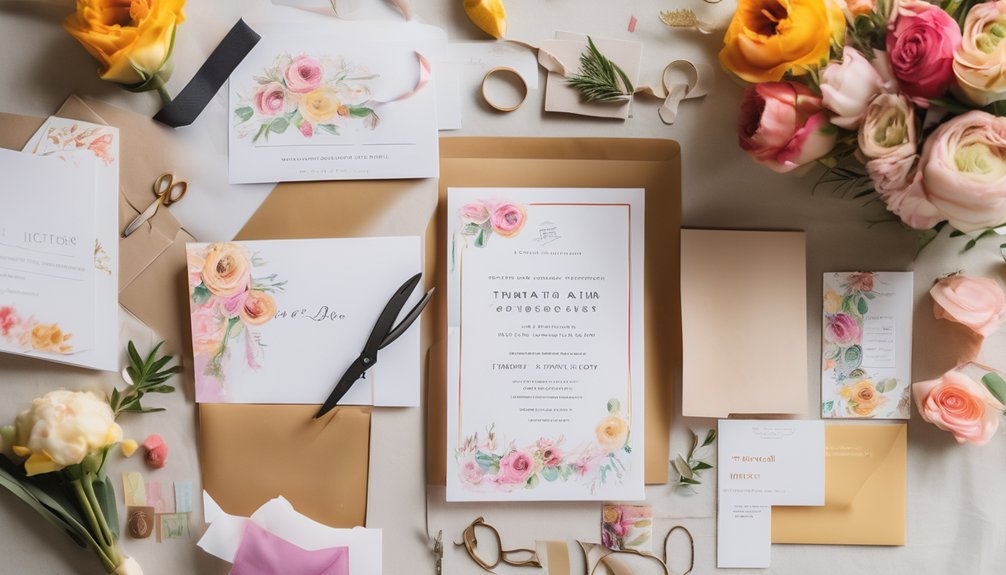
A well-chosen template gives your family event invitation a polished starting point and helps you build a consistent look quickly. You should review each tool’s template variety and compare options by event type, formality, and layout.
For a reunion, choose a spacious design; for a birthday, select a lively structure; for a holiday gathering, favor a balanced arrangement. Match the template to your design preferences and keep the audience in mind, so the invitation feels appropriate and intentional.
Check whether the template supports clear text placement, easy reading, and enough room for essential details. When you narrow your choices systematically, you’ll save time and create a stronger foundation before you move on to finer adjustments.
Customize Fonts, Colors, and Photos
Once you’ve selected a template, refine the invitation by adjusting fonts, colors, and photos so the design reflects your event’s tone.
Choose font pairing with intent: combine one decorative style with one clean counterpart to preserve hierarchy and legibility. Use color psychology to guide mood; soft pastels suggest warmth, while deeper hues convey elegance and formality.
Then, select photos that feel sharp, well-lit, and emotionally relevant, since they anchor the composition and shape first impressions.
- Limit your palette to two or three coordinated colors.
- Keep typography consistent across headings and body text.
- Crop images carefully to maintain balance and focus.
You’ll present a polished invitation when every visual element supports a single, disciplined aesthetic.
Add the Details Guests Need
With the design in place, you should add the details guests need so the invitation answers every practical question at a glance.
State the event name, date, start time, location, and any backup instructions for parking or entry. Include the host’s name and a clear RSVP deadline so you can manage headcount precisely.
If the gathering involves food, dress, or activities, note those event details with enough specificity to guide preparation.
You should also mention accessibility needs, child accommodations, and any guest preferences that affect seating or meal planning.
Keep each line concise, and place the most important information where it’s easy to scan.
When you present facts in a disciplined order, you help guests respond confidently and arrive prepared, without confusion or follow-up questions.
Send Invitations by Email or Text
After you finish the invitation, send it by email or text so guests receive it quickly and can reply without delay. Choose email for a polished presentation and text messaging for immediate reach.
Apply email etiquette by using a clear subject line, a professional greeting, and concise wording that respects your guests’ time. With text messaging, keep the message brief, direct, and courteous.
- Confirm names and contact details before sending.
- Use one message format that matches the event’s formality.
- Proofread every line for accuracy and tone.
When you send invitations this way, you present the event efficiently and maintain a refined standard. A well-composed digital invitation shows care, discipline, and attention to detail, which strengthens the impression you make on every recipient.
Track RSVPs Easily
As replies come in by email or text, you can track RSVPs easily by recording each guest’s response in one place. Use a spreadsheet, shared document, or invitation platform to log yes, no, and maybe answers, along with meal needs and plus-ones.
This method strengthens RSVP tracking because you can sort responses quickly, identify gaps, and follow up with nonresponders before your event date. Keep your guest management organized by assigning each person a status and updating it immediately after every reply.
Review the list daily so you don’t miss changes, and note any special instructions beside each name. When you maintain a clear record, you reduce confusion, plan seating accurately, and prepare with confidence for a smooth family event.
Share Invitations on Social Media
When you want to reach relatives quickly, you can share invitations on social media to expand visibility without adding extra work. You’ll strengthen event promotion by posting the invitation in family groups, tagging key relatives, and using concise captions that state date, time, and location.
Effective social media strategies help you maintain consistency across platforms while preserving a polished tone.
- Post at times when your family is most active.
- Use one clear image or graphic for recognition.
- Add a direct link to the invitation for easy access.
You can also schedule reminders so your message stays visible without constant reposting. This approach keeps your outreach organized, supports timely responses, and helps you manage family event communication with precision and confidence.
Avoid Common Invitation Mistakes
Even with a polished invitation and wide social sharing, small errors can still undermine your message. You should review timing mistakes before you send anything, because late notices can reduce attendance and create follow up issues.
Check wording errors carefully; unclear event details often cause recipient confusion and unnecessary questions. Examine design flaws as well, since crowded layouts can obscure response deadlines and essential instructions.
You should also confirm accessibility concerns, including readable fonts and strong contrast, so every guest can participate without difficulty. Avoid theme mismatches by aligning colors, language, and imagery with the event’s purpose.
Finally, proofread names, dates, and locations, then test each link. When you verify these details, you present a clear, reliable invitation that supports confident responses.
Match the Tool to Your Event
The right invitation tool depends on your event’s size, tone, and level of coordination. You should match the platform to the occasion so your process stays efficient and polished.
For small gatherings, a simple template may be enough; for larger reunions, you’ll want stronger tracking and design controls. Consider:
- event themes that require custom colors, fonts, or imagery
- guest preferences, including email, text, or printed delivery
- coordination needs such as RSVPs, reminders, and updates
If you’re hosting a formal dinner, choose a refined tool with elegant formatting. For casual picnics, select one that’s fast and mobile-friendly.
When you align the tool with the event, you improve clarity, reduce errors, and create a smoother experience for every guest.
Frequently Asked Questions
Can I Print Invitations Directly From These Free Tools?
Yes, you can often print invitations directly from free tools. You’ll usually export a print-ready file, then use digital printing options. Strong design customization helps you control quality, margins, and finish before printing.
Do Any Tools Offer Bilingual Invitation Templates?
Yes—you’re often finding bilingual templates in a lantern-lit market, where one invitation speaks two languages. You can choose bilingual design options and use template customization features to tailor wording, layout, and tone precisely.
Can I Schedule Invitation Delivery for a Later Date?
Yes, you can often schedule invitation delivery for later. You’ll set invitation timing, choose delivery methods, and confirm recipients now, then let the system send automatically on your chosen date and time.
Are There Options for Collecting Meal Preferences From Guests?
Yes—you can collect meal preferences through meal option surveys. You’ll gather guest dietary restrictions cleanly, then organize responses in one view. Like a well-set table, this lets you plan confidently, with precision and ease.
Can I Save Invitation Designs for Future Family Events?
Yes, you can save invitation designs for future family events. You’ll keep your design customization settings and reuse template variety efficiently, which helps you streamline planning, maintain consistency, and manage future invitations with precision.
Conclusion
You’ve got plenty of free invitation tools to make family event planning easier, faster, and more organized. As a reminder, about 1 in 3 households now prefer digital invitations for convenience and tracking, so you’re not alone in choosing paperless options. When you pick the right template, personalize the details, and monitor RSVPs, you’ll keep everyone informed and reduce stress. With a thoughtful tool, you can create invitations that look polished and work beautifully.