When you keep a printable medical information form for your child, you make it easier to share key health details quickly in a school office, at camp, or during a trip. You can list allergies, medicines, conditions, and emergency contacts in one clear place. That small step can help others act fast and stay calm. But knowing what to include, and when to update it, makes all the difference.
Key Takeaways
- Include the child’s full name, date of birth, address, and parent or guardian contact details.
- Add emergency contacts, including backup caregivers and contacts from both households if needed.
- Record allergies, chronic conditions, medications, surgeries, and special equipment like epinephrine pens.
- List pediatrician details, after-hours contact, preferred language, and insurance information.
- Use a clear, easy-to-read form and store it securely in paper and encrypted digital copies.
What to Include in a Kids’ Medical Form

When you fill out a kids’ medical form, include the basics first: your child’s full name, date of birth, address, parent or guardian contact details, and emergency contacts.
Next, add medical history that helps clinicians act quickly, such as allergies, chronic conditions, surgeries, medications, and past reactions. Include doctor information, too, especially the pediatrician’s name, clinic, phone number, and after-hours contact.
You can also note preferred language, insurance details, and any special needs or supports. Keep entries current, clear, and legible so staff can review them without delay.
If your child sees specialists, list those providers as well. Accurate details help care teams understand your child’s needs, reduce risk, and respond with confidence during routine visits or urgent situations.
How to Fill Out the Form
Once you’ve gathered the right details, fill out the form carefully and use clear, easy-to-read writing. You’ll make the form easier to use when you keep each answer short, accurate, and complete. Follow these form completion tips: match names exactly, include current medications, and check dates before you move on.
| Field | What to Write | Tip |
|---|---|---|
| Child name | Legal name | Use full spelling |
| Allergies | Specific reaction | Be precise |
| Doctor contact | Phone number | Add area code |
Review every line for common mistakes like missing phone numbers, unclear handwriting, or crossed-out answers. If you’re unsure, pause and verify the detail instead of guessing. A clean, truthful form helps adults respond quickly and keeps your child’s information organized and safe.
Best Printable Forms for School, Camp, and Travel
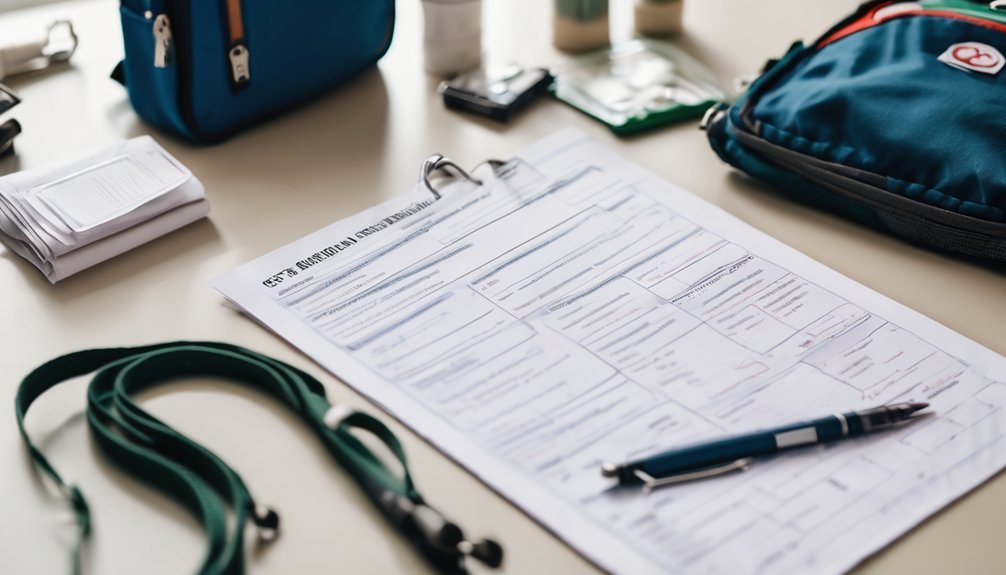
For school, camp, and travel, the best printable forms are the ones that give adults the right details fast: emergency contacts, health history, allergies, medications, and permission to treat.
You’ll want a clean layout with clear labels, so staff can scan it quickly in a busy moment. For camp health, choose a form that includes chronic conditions, activity limits, and notes about inhalers, epinephrine, or seizure care.
For travel safety, use a version that stays portable and easy to update before every trip. Pick forms with plenty of space, readable font, and checkboxes where possible.
That design reduces errors, supports safe decisions, and helps you share accurate information without stress.
Which Emergency Contacts to List
After you pick a clear school, camp, or travel form, the next step is deciding who should be listed in an emergency. Start with parents or legal guardians, then add a trusted backup adult who can act with parental consent.
Build a contact hierarchy: first, the person most likely to answer; second, someone nearby; third, another reliable caregiver. Include full names, phone numbers, and the best times to reach each person.
If you share custody, list both homes’ contacts so staff don’t have to guess. You can also add a local relative or neighbor who knows your child well.
Keep the list short, current, and easy to scan. Clear contacts help adults respond fast, stay calm, and keep your child safe.
How to Record Allergies, Medications, and Conditions

List every allergy, medicine, and ongoing health condition in plain, easy-to-read terms so caregivers can act quickly and safely.
Write the exact allergy triggers, such as peanuts, latex, or bee stings, and note the reaction you’ve seen.
For each medicine, include the name, strength, medication dosages, and how often you take it, plus any inhalers, creams, or rescue treatments.
Record conditions like asthma, diabetes, seizures, or eczema with simple details that help adults respond well.
Use clear labels and avoid abbreviations that might confuse someone in a hurry.
If your child needs special equipment, such as an epinephrine pen or spacer, list it here too.
Keep the layout neat so the most important facts stand out at a glance.
When to Update Your Child’s Form
Update your child’s form whenever something important changes, so caregivers always have the latest information. You should also review it after every well visit, hospital visit, new diagnosis, medication change, vaccine update, or reaction to food, medicine, or insect stings.
If your child starts school, camp, or sports, confirm the form still matches current needs. A simple rule for when to review is every three to six months, with extra checks during growth spurts or seasonal allergy shifts.
These frequency guidelines help you catch outdated details before they matter. Keep entries current, clear, and brief, and remove anything no longer true. When you update promptly, you support safer care and reduce confusion for the adults who help your child.
Where to Store and Share the Form Safely
Keep your child’s form in a safe, easy-to-find place so you can share it quickly when needed. You can keep one paper copy in a labeled folder and one digital copy in encrypted digital storage.
- Store it with other emergency records.
- Keep a backup at home.
- Share it only with trusted caregivers.
- Use secure sharing when you send it by email or app.
- Tell caregivers where to find it fast.
You should review access after every update. If your child attends school, camp, or visits relatives, give each setting the details it truly needs.
Avoid posting the form in public spaces. With clear storage and secure sharing, you help adults respond calmly, protect privacy, and support your child’s safety.
Free Printable Medical Forms for Kids
You can use them to record allergies, medications, immunizations, emergency contacts, and family health history with clear, organized fields. Many templates also include space for parental consent, so you can note approved treatments and who may make decisions if you’re unavailable.
Choose a form with simple labels and enough room for exact answers. You’ll create a document that helps caregivers read information quickly and reduces mistakes.
Print a fresh copy when details change, and keep it neat, complete, and current. A well-prepared form supports safe, calm care for your child.
Tips for Using the Form in an Emergency
When an emergency happens, hand over the medical form right away so responders can see key details fast. Keep it with your child’s go-bag for quick access and update it after any new medicine, allergy, or doctor visit. Good emergency readiness means you can act without searching.
- Place the form in a clear plastic sleeve.
- Store one copy at home and one in your car.
- Highlight allergies, medicines, and chronic conditions.
- Add emergency contacts and insurance details.
- Review it with your child’s caregiver.
You should point to the form if you’re too upset to speak clearly. This helps the team work faster and keeps your child safer.
Recheck the paper every few months, so the information stays accurate and ready.
Frequently Asked Questions
Are Digital Copies Acceptable for School Medical Records?
Yes, you can often use digital documentation for school medical records, but you’ll need to check school policies first. Ask the nurse or office staff, then keep backups ready. Electronic copies can be safe and clear.
Can Grandparents Sign a Child’s Medical Information Form?
Yes, you can if you have grandparent consent and legal guardianship, but you usually can’t without them. You should check the school’s policy and the child’s doctor before signing any medical form.
What if My Child Has No Known Allergies?
You can write “no known allergies” on the form, and that helps caregivers act safely. If you’re unsure, ask about allergy testing. Always list emergency contacts, so help reaches you quickly.
Should Separate Forms Be Made for Each Child?
Yes—you should make individualized forms for each child, because sibling considerations can differ. You’ll capture each child’s medications, allergies, and care needs clearly, reducing mix-ups and helping you stay organized, calm, and ready.
Do Medical Forms Need a Doctor’s Signature?
Sometimes, you’ll need a doctor’s approval, and signature requirements vary by form. You can picture a clinic pen gliding across bright paper; check your form’s instructions, because some schools or camps don’t require it.
Conclusion
Keeping your child’s medical form updated can make a big difference in an emergency. Did you know that quick access to health information can help caregivers act faster and more safely? When you list allergies, medicines, conditions, and emergency contacts, you’re giving helpers the facts they need right away. Keep the form printable, easy to find, and ready to share. A little preparation now can give you peace of mind later.